
Employees and roles
Organisation chart, employees and roles in the Client Portal.
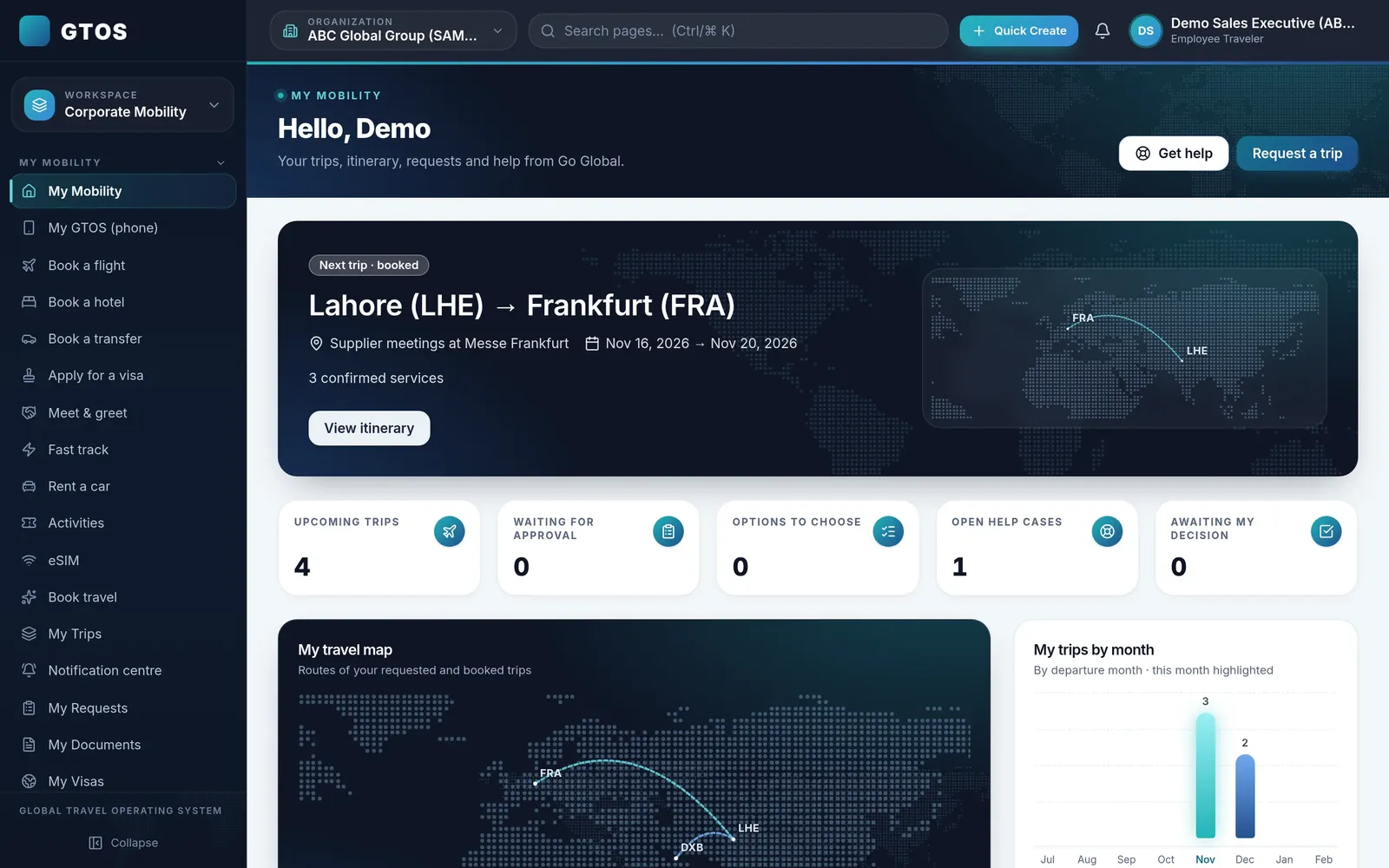
HR owns the people side of business travel: who can travel, under what policy, and the company’s duty of care while they are away. GTOS gives HR the organisation chart, employees and roles, policy and approval chains, and a live view of trips in one place.

For HR teams, travel questions arrive at the worst times: a new joiner needs to fly next week, a manager is on leave and approvals are stuck, a city is in the news and leadership asks who is there. GTOS keeps the answers in one system.
The Client Portal holds the organisation chart, employees and roles, so policy and approvals follow the structure HR already maintains.
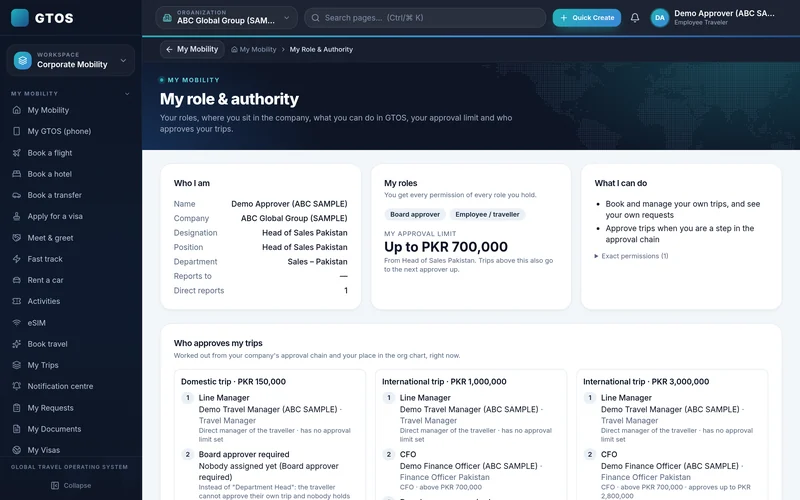
Organisation chart, employees and roles in the Client Portal.
Travel policy and approval chains that follow the organisation chart.
Know where your people are and check passports and visas before travel.
Because trips are booked in GTOS, HR can see who is travelling where. Passport and visa readiness checks run before travel, and Go Global’s team can reach travellers fast when plans change.
Rules apply at the moment of booking, so HR does not have to police the policy after the fact. Exceptions are recorded with their approval.
New joiners get access with the right role, and leavers are removed, through the same employee list HR maintains in the Client Portal.
Organisation chart, employees and roles set up.
Policy and approval chains configured.
Employees book within policy.
Trips visible; readiness checked.
Policy updated from what HR sees.
Yes. The Client Portal holds the organisation chart, employees and roles.
GTOS shows where travellers are from their trips and checks passports and visas before travel. It does not replace your security provider.
Yes. Approval chains follow roles and approval limits.
January 2027.
When a new employee joins, HR adds them with the right role and manager, and their approval chain follows automatically. They can book within policy from their first trip, without a separate briefing on who approves what.
When HR changes the travel policy, for example a new hotel limit or a new rule for a destination, Go Global’s team updates the rules in GTOS so they apply from the next booking.
Trip history by traveller and department lets HR answer questions about workload, frequent travellers and destinations, and supports reviews of the travel policy with real data rather than anecdotes.
Request a demo account and we will set it up with a sample organisation chart. Go Global has handled 100,000+ trips, and our team works 24/7 for travellers on the road. Email insights@goglobal.pk or WhatsApp 0320-4111222.